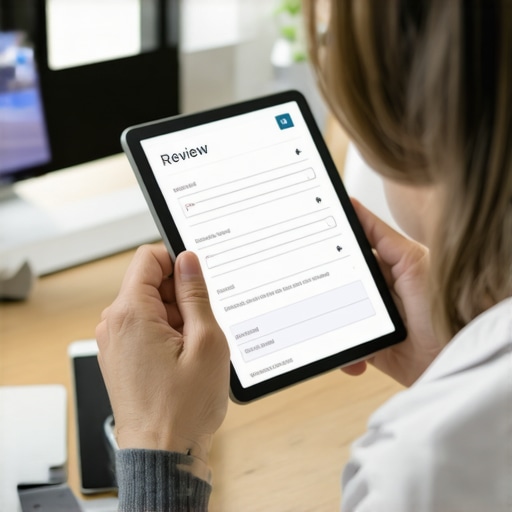
The Review Request Script That Gets Customers to Actually Attach Photos
Imagine two local businesses side-by-side in the Google Maps search results. Business A has 120 reviews, a solid 4.8-star rating, but not a single customer-uploaded photo in the last six months. It looks like a digital “ghost town” – a relic of past success that feels stagnant. Business B has only 35 reviews, but nearly every single one is accompanied by a high-resolution, geo-tagged photo of a completed project, a smiling face, or a pristine storefront.
In the eyes of the 2026 local search algorithm, Business B isn’t just winning; it’s dominating. As a specialist in reputation management at On-Time Web Design Studio, I’ve seen this play out thousands of times. The reality is that google business profile seo is no longer just about the quantity of your stars; it is about the visual proof of your labor. If you want to rank higher on google maps, you need to stop asking for “a review” and start asking for “the story.”
In this guide, I’m going to break down the exact review request script we use to compel customers to attach photos, explain the technical “why” behind visual ranking signals, and show you how to turn your Google Business Profile (GBP) into a visual powerhouse that converts searchers into callers. If you’ve been struggling with low engagement, you might need to check out our guide on How to Turn Stagnant Map Impressions Into Actual Service Calls.
Why Photos are the Ultimate Ranking Signal for 2026
To understand why photos are critical, we have to look under the hood of how Google actually “sees” your business. We are moving into an era where “offline-to-map” data is the primary driver of trust. Google’s Vision AI has become incredibly sophisticated. When a customer uploads a photo of a newly installed water heater in a basement, Google’s AI doesn’t just see a picture; it identifies the objects, the context, and the metadata.
Google uses these images to confirm “Relevance” and “Prominence.” If your business category is “Plumber,” and customers are consistently uploading photos of pipes, wrenches, and water heaters, Google’s algorithm receives a high-confidence signal that you are exactly who you say you are. This is a core component of any professional google maps ranking service. Without these visual anchors, your profile is just text – and text can be faked. Photos, especially those with GPS metadata from a customer’s phone, are the ultimate verification.
The data backs this up. In 2026, the Local Pack (the top three map results) continues to be the most valuable real estate on the internet. Statistics show that 44% of local searchers click on the Local 3-pack, while only 29% click on organic results. Furthermore, Google now ranks the Local Pack at the very top in 93% of local searches. If you aren’t appearing there, you are invisible to nearly half of your potential market. If you’re wondering why your profile isn’t showing up despite your efforts, read our deep dive on Why your map pin stays hidden despite having more reviews than competitors.
The 2026 Maps update has further prioritized user-generated visual proof (UGVP). Google is moving away from trusting business-uploaded photos alone, as those are often staged or stock imagery. They want to see the “raw” reality of your service through the lens of the consumer. This creates a “Prominence” signal that tells Google your business is active, popular, and physically present in the community.
The Psychology of the “Visual Ask”
Why don’t customers naturally post photos? It’s rarely because they don’t want to help; it’s because of friction. Leaving a review is a cognitive load. Finding the right photo, ensuring it looks good, and uploading it adds a second layer of effort. Most customers simply forget they even took a photo of the work during the process.
To overcome this, we use a strategy I call “The Pre-emptive Permission.” This involves asking for the photo before the job is even finished. By asking, “Hey, do you mind if I take a quick photo of this for our records, and would you like me to send it to you so you have a copy of the ‘before and after’?” you are planting the seed. When the customer has the photo on their own device, the friction of the review process drops by 70%.
The key is to frame the request as a benefit to the community. People are more likely to perform a task if they feel it helps others avoid a bad experience or find a great one. This is the “Social Proof” lever. If you can master this psychological shift, you can get more engagement without being a pest. For more on this, see our article on How to Get 5-Star Reviews Without Being a Nuisance.
The Master Script: The “Photo-First” Request
When it comes to google business profile seo, the delivery of your request is everything. You cannot just send a link and hope for the best. You need a modular script that hits four specific notes: The Compliment, The Value, The Specific Ask, and The Easy Link.
Below is the master script we recommend for high-converting visual reviews. This can be sent via SMS or Email, but as we will discuss later, SMS is the king of conversion.
The Master Script:
“Hi [Customer Name], it was such a pleasure working on your [Project/Service] today! I’m so glad we could get that [Specific Problem] resolved for you.We’re trying to show more neighbors in [City Name] exactly what our work looks like in the real world. Would you mind sharing a quick 5-star review and attaching one of the photos you took (or the one I sent you) of the finished result?
It helps us tremendously and lets others know they’re in good hands. You can do it in 30 seconds right here: [Insert Short GBP Review Link]
Thank you for supporting a local business!”
Breaking Down the Script
- The Compliment (Personalization): Mentioning the specific service or problem makes the customer feel like a person, not a transaction.
- The Value (Community Impact): By mentioning “neighbors in [City Name],” you are appealing to their sense of local community.
- The Specific Ask: Notice we didn’t just ask for a review. We explicitly asked them to “attach one of the photos.” This directs their focus.
- The Easy Link: Never make them search for your business. Use a direct “Write a Review” link.
To scale this process, many businesses use local seo tools to automate the sending of these scripts immediately after a job is marked “Complete” in their CRM. Automation ensures that the request hits the customer’s phone while the “peak-end” rule of psychology is at its strongest – right when they are happiest with the result. You can find more details on this in our post: The Review Request Strategy That Actually Gets Customers to Post Photos.
Industry-Specific Variations
A “one-size-fits-all” approach works okay, but a tailored approach works perfectly. Depending on your industry, the “Visual Ask” should vary to match the customer’s emotional state.
Contractors, Plumbers, and HVAC
For home services, the focus is on “The Solution.” Customers are relieved the leak is fixed or the AC is running.
Script Tweak: “Could you show off that new faucet? It looks great in your kitchen and helps others see the quality of the fixtures we use!”
Check out: Why Plumbers Get Ghosted by Google Maps (and How to Fix It).
Med Spas, Estheticians, and Dentists
In the beauty and wellness space, the focus is on “The Result.”
Script Tweak: “The glow-up looks amazing! If you’re comfortable, we’d love for you to share a selfie with your review so others can see the results of the [Treatment Name].”
Real Estate and Professional Services
For real estate, it’s about “The Milestone.”
Script Tweak: “Nothing beats that ‘Sold’ sign feeling! Would you mind posting a photo of you in front of your new home? It helps us celebrate your big day with the rest of the community!”
Delivery Methods: SMS vs. Email vs. NFC
The medium is just as important as the message. If you want to maximize your google business profile optimization, you need to meet the customer where they are.
SMS (Text Messaging): This is the gold standard. SMS has a 98% open rate, and most reviews are completed within 15 minutes of the text being received. Since the customer is already on their mobile device, their photos are just two taps away. Using local seo software to trigger these texts is the most efficient way to grow your profile.
Email: While less effective than SMS, email is still useful for B2B services or longer-form feedback. However, the conversion rate for photo attachments is significantly lower because people often open emails on desktops where their photos aren’t stored.
NFC Google Review Cards: The 2026 trend is moving toward “Tap-to-Review” technology. These are physical cards or stickers you carry. The customer taps their phone to the card, and your GBP review page opens instantly. This is the ultimate friction-killer for in-person retail or service businesses. For more on how this fits into your long-term plan, see Why Your 2026 GBP Checklist Must Include Offline-to-Map Data.
Advanced Strategy: Leveraging Geo-Relevance
When a customer uploads a photo, Google also looks at the EXIF data (the hidden metadata) which often includes the GPS coordinates of where the photo was taken. If you are a roofer based in City A, but you do a job in City B, and the customer uploads a photo from City B, Google now has “Visual Proof” that your service area extends to that location.
This is a massive lever for google business profile seo. It allows you to expand your “ranking radius” without having to open physical offices in every suburb. Most “Review Management” software focuses on the star rating, but our strategy focuses on this Geo-Relevance. This is what separates a standard local SEO campaign from a high-performance google maps ranking service.
Conclusion & Action Plan
A high-ranking Google Business Profile is not an accident; it is the result of a deliberate strategy that prioritizes quality, visual proof, and user engagement. In the 2026 landscape, a review without a photo is a missed opportunity. A review with a photo is a permanent ranking asset that tells Google – and your future customers – that you are the real deal.
Your Action Plan:
- Audit your profile: Look at your last 20 reviews. How many have photos? If it’s less than 20%, you have a “Ghost Town” problem.
- Implement the Script: Start using the “Photo-First” script today. Train your field technicians or front-desk staff to ask for the photo before the customer leaves.
- Automate the Process: Use local seo tools to ensure no customer is forgotten.
- Respond to Every Photo Review: When a customer posts a photo, respond and mention the specific service shown in the image. This further reinforces the “Relevance” signal to Google.
If you’re ready to take your visibility to the next level, make sure you aren’t making common mistakes that kill your reach. Read our checklist on 7 Specific Moves for Your GBP Ranking Checklist That Fix Poor Engagement Rates.
Success on Google Maps is about being the most “verified” option in the eyes of the AI. Start collecting that visual proof today, and watch your business climb the Local Pack.