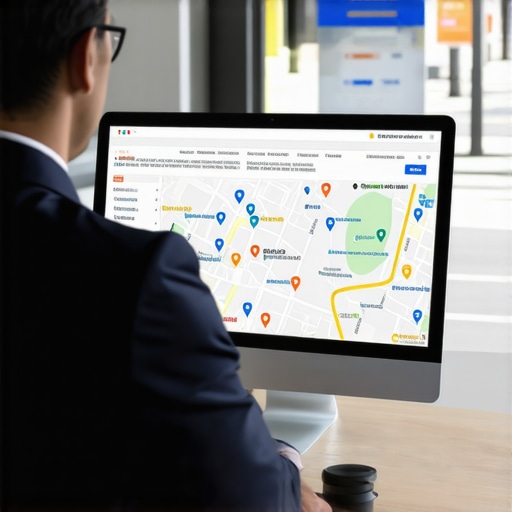
How to Force a Faster Rank on Google Maps When Your Profile Stalls
You’ve done the basics. You’ve claimed your listing, verified your address, and added your business hours. For a few weeks, you saw the needle move. Maybe you even cracked the top ten. But then, the momentum died. Your google business profile seo efforts have hit a wall, and no matter how many five-star reviews you get, your ranking remains stagnant.
As a Local SEO Consultant and Google Business Profile Product Expert, I see this “plateau” more often than any other issue. In the 2026 local search landscape, the algorithm has evolved far beyond the simple “set it and forget it” citations of the past. Today, Google prioritizes real-time signals and user behavior over static data. According to research from Skyway Media, the stakes couldn’t be higher: 76% of people searching for something nearby visit a business within 24 hours. If your profile is stalled, you aren’t just losing visibility; you are losing immediate revenue.
To break through, you need to stop playing defense and start forcing a rank. This isn’t about waiting for Google to notice you; it’s about sending undeniable signals that your business is the most relevant, prominent, and engaged-with option in your service area.
The “Stall” Diagnosis: Why Your Profile Stopped Moving
Before we can apply force, we have to understand the resistance. Google’s local algorithm is built on three pillars: Proximity, Relevance, and Prominence. Most businesses that stall have maximized their relevance (keywords) but are being throttled by the “Proximity Filter” or a lack of “Prominence.”
You might notice that your business ranks #1 when someone searches for your brand name or when they are standing in your parking lot. However, as soon as the searcher moves two miles away, you disappear from the Map Pack, replaced by competitors who may have fewer reviews but higher “Prominence.” This is the Proximity Filter at work. Google creates a geographic ceiling for your profile based on how much it trusts your business to serve a wider area.
When your profile stalls, it’s usually because Google has decided your “Prominence” doesn’t justify showing you to users further away. To break this ceiling, you must transition from providing static information to providing dynamic proof of activity. If you want to How to Turn Stagnant Map Impressions Into Actual Service Calls, you have to address the engagement gap that tells Google your profile is a “dead” listing.
The Engagement Force Multiplier (The 2026 Shift)
In 2026, the weight of traditional SEO signals has shifted. While reviews are still important, user interaction signals – such as Click-Through Rate (CTR), driving direction requests, and direct phone calls – now carry more weight than raw review volume. Google’s AI-driven algorithm looks at how users interact with your profile to determine its value.
If your profile appears in search results but no one clicks “Call” or “Directions,” Google assumes your business is either closed, irrelevant, or lower quality than the competition. This creates a downward spiral. To reverse this, you need to turn your profile into an interactive hub. This is where professional local seo tools become indispensable. By tracking these micro-interactions, you can see exactly where users are dropping off.
Driving “High-Intent” Interactions
- Direction Requests: Encourage customers to use the “Directions” button even if they know where you are. This signal tells Google that people are physically traveling to your location, which is a massive boost for Prominence.
- Click-to-Call: Ensure your phone number is prominent and use “Mobile-Friendly” call-to-action posts.
- Message Response Time: If you have “Chat” enabled, your response time must be under 5 minutes. Google tracks this as a reliability metric.
By focusing on these behavioral triggers, you are essentially “forcing” Google to recognize that your business is the most active and preferred choice in the area. If you are struggling to see these trends, using a google maps ranking booster can provide the data-driven insights needed to adjust your strategy in real-time.
Forcing Relevance with Geo-Tagged Proof
One of the most common reasons for a ranking stall is a lack of “Service Area” validation. Google knows where your office is, but it doesn’t necessarily believe you actually work in the surrounding suburbs. To force a faster rank, you must provide visual, geo-located proof of your work.
I recommend a “boots on the ground” photo strategy. Instead of uploading stock photos or your company logo repeatedly, have your field technicians take 5-10 photos every week at actual job sites. These photos should be uploaded directly to your Google Business Profile. When a photo is taken on a smartphone, it contains metadata (EXIF data) that includes the GPS coordinates of where the photo was taken. While Google claims they strip this data for privacy on the front end, their AI uses the visual context and the upload location to verify your business activity in specific neighborhoods.
This links directly to The Geo Page Tactic That Actually Connects Your Website to the Map Pack. By aligning your website’s location pages with the real-world photo updates on your GBP, you create a “Geo-Signal Loop” that is very difficult for competitors to beat. This tactic validates your service area and forces Google to expand your ranking radius.
Technical Fixes to Break the Ranking Ceiling
Sometimes the stall isn’t about a lack of activity, but rather technical errors that are confusing the algorithm. Two of the biggest culprits are category dilution and “Openness” signals.
The Danger of Category Dilution
Many business owners believe that selecting as many categories as possible will help them show up for more searches. This is a mistake. Data shows that Why Picking Too Many Business Categories Is Actually Hurting Your Local Rank. When you select too many unrelated categories, you dilute your “Primary Category” authority. If you are a specialized plumber, don’t add “Handyman” or “Landscaper” just to cast a wider net. Google’s algorithm prefers specialists over generalists for high-intent searches. Stick to 1 primary category and no more than 3-4 highly relevant secondary categories.
The “Openness” Signal
In recent algorithm updates, Google has placed a heavier emphasis on whether a business is currently open. Profiles often see a significant ranking boost during their stated business hours and a “drop” when they are marked as closed. Ensure your hours are 100% accurate. If you offer 24/7 emergency service, ensure your profile reflects that – but only if you actually answer the phone. Being “Open” but failing to respond to calls or messages will eventually lead to a “soft suspension” or a permanent ranking stall.
If you suspect technical issues are holding you back, you might need to implement 7 Specific Moves to Fix a Map Profile That Stopped Getting Calls to reset your profile’s standing with the algorithm.
Advanced Tactics: Q&A and Visual Search Filters
As we move further into 2026, visual search and AI-generated answers are dominating the local landscape. Google is now “reading” your photos to understand what you offer. If a user searches for “emergency drain cleaning,” Google will look for photos in your profile that it identifies as a plumber working on a drain.
Visual Search Optimization
- Keyword-Rich Filenames: Before uploading a photo, rename the file from “IMG_1234.jpg” to “emergency-drain-cleaning-cityname.jpg.”
- AI-Friendly Images: Ensure your photos are clear and high-resolution. Google’s Vision AI can identify objects, text on trucks, and even the types of tools you are using.
Seeding the Q&A Section
The “Questions & Answers” section of your profile is a goldmine for google business profile seo. Don’t wait for customers to ask questions. As a business owner, you are legally allowed to post your own questions and answer them. Use this to address high-intent keywords.
Example Question: “Do you offer emergency 24-hour plumbing in [City Name]?”
Example Answer: “Yes! We provide 24-hour emergency plumbing services throughout [City Name] and the surrounding areas, including [Neighborhood A] and [Neighborhood B].”
This seeds your profile with relevant keywords and provides immediate value to potential customers, which improves your CTR and helps improve google maps ranking. For more on how these trends are evolving, check out 5 Local SEO Trends for 2026 That Will Change How You Get Clicks.
Conclusion: The Path to the 3-Pack
Ranking on Google Maps is no longer a “set it and forget it” task. As local SEO expert Rashid Rehman famously said, “Local SEO isn’t marketing. It’s infrastructure.” You must treat your Google Business Profile as a vital piece of your business’s digital infrastructure that requires constant maintenance and optimization.
When your profile stalls, it is a signal that your current “infrastructure” is no longer sufficient to beat the competition. You must force the rank by increasing engagement, validating your service area with geo-tagged proof, and cleaning up technical errors like category dilution.
Don’t let your business stay buried on page two. Audit your profile today, focus on interaction signals, and utilize advanced google business profile seo strategies to dominate the local 3-pack. The faster you act, the faster you can turn those stagnant impressions into actual service calls and revenue.