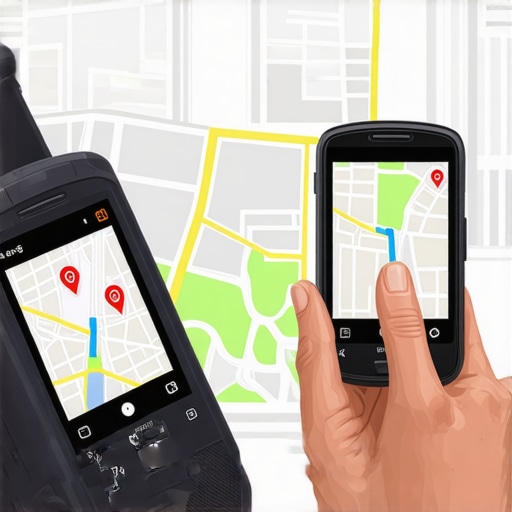
Why Your Rank Tracker Lies About Your Actual Map Position
You open your SEO reporting software, and it’s a sea of green. The “Green Grid” shows your business sitting comfortably at the #1 spot for your primary keywords across your entire city. You feel a sense of accomplishment. But then, you look at your call logs. The phone isn’t ringing. Your storefront is quiet. You ask a friend three blocks away to search for your services, and to your horror, you don’t even appear in the top three results.
What gives? Is the software broken? Is Google glitching? No. The reality is that most business owners are falling for a “vanity metric” trap. As an expert in google business profile seo, I see this daily: the massive discrepancy between “Static Ranking” and “User-Centric Reality.”
The truth is, a traditional google maps rank tracker often provides a sanitized, laboratory-style version of the truth. In the real world, Google Maps is a living, breathing, and hyper-volatile ecosystem. Google serves different results based on the searcher’s precise GPS coordinates, often down to the very sidewalk they are standing on. If you are relying on a single number to define your success, you aren’t just misinformed – you’re losing money.
The Proximity Trap: Why “Rank #1” Doesn’t Exist
In the world of traditional organic SEO, you can “rank #1” for a keyword nationally. In Local SEO, “Rank #1” is a myth. Ranking is not a single coordinate; it is a heatmap. Because of the way the Google Maps algorithm functions, your position changes every few feet a user moves.
This shift began in earnest with the “Possum Update.” This update was a watershed moment for local search, as it rendered conventional rank tracking almost obsolete by prioritizing hyper-local proximity. Google realized that if a user is looking for a “coffee shop,” they don’t want the best one five miles away; they want the best one 500 feet away. This created The Map Rank Tracking Mistake That Makes You Look Better Than You Are, where businesses assume a “city-wide” rank exists when, in reality, their dominance ends at the neighborhood boundary.
As Fahed Awan, Local SEO Expert, often says: “Helping clients with Google Business profile creation is only half the battle; the real work is in the optimization that beats the proximity filter.” If your tracker isn’t accounting for the physical movement of the user, it’s giving you a false sense of security.
3 Reasons Your Software is Giving You Fake News
Why is there such a gap between your software and the real world? It comes down to how these local seo tools actually gather data.
1. The “Single Point” Problem
Most traditional rank tracking tools ping Google from a fixed location – usually a data center or the geometric center of a zip code. This is a fundamental flaw. No one actually lives at the exact center of a zip code. By checking from a single point, the software misses the “neighborhood-by-neighborhood” battle. You might be #1 at the post office but #10 at the local park. To truly understand why your map rank tracker is giving you a false sense of security, you have to realize that a single-point check is like trying to describe a whole mountain by looking at one pebble.
2. Personalization & Search History
Google’s algorithm is incredibly sophisticated. It knows if a user has visited your shop before, if they’ve clicked your website in the past, or if they’ve searched for your brand name recently. A rank tracker is a “clean” bot. it has no “human” history. While this provides a “neutral” view, it’s not a realistic one. Real customers have biases and histories that Google leverages to customize the Map Pack. A bot will never see the “loyalty boost” or the “previous visitor” filter that real humans experience.
3. The Mobile vs. Desktop Divide
There is a significant difference between how Google calculates location on a desktop vs. a mobile device. Desktop location is often based on IP addresses, which can be notoriously inaccurate (sometimes placing a user in a completely different suburb). Mobile devices use precise GPS data. This creates a much tighter “proximity filter” on mobile. Since over 60% of local searches happen on mobile, a rank tracker that relies on desktop-style pings is essentially useless for predicting real-world foot traffic. This is where high-end local seo tools become essential, as they attempt to simulate mobile GPS coordinates rather than just IP pings.
The Google Maps Algorithm: Proximity, Relevance, and Prominence
To rank google business profile assets effectively, you must understand the three pillars of the algorithm. Google themselves have stated these are the primary factors, but they don’t tell you how they interact in real-time.
- Proximity: How close is the business to the searcher?
- Relevance: How well does the profile match the search intent?
- Prominence: How well-known is the business (reviews, backlinks, citations)?
The technical “gotcha” here is that Proximity often acts as a “hard filter.” Even if you have the highest Relevance (perfect keywords) and the highest Prominence (1,000 five-star reviews), Proximity can still “ghost” your profile. If a searcher moves just two blocks outside of your “authority zone,” Google may decide a closer, less-relevant business is a better user experience. This is one of The 3 specific data points we use to audit local search performance every month to ensure our clients aren’t being out-proxied by inferior competitors.
How to Spot “Ghosting” and Map Filter Lag
Have you ever seen a business that is verified, has great reviews, but simply won’t show up on the map for certain keywords? This is known as “ghosting” or the Map Filter. This often happens when multiple businesses in the same category are located in the same building or very close to each other. Google “filters” out the ones it deems less prominent to avoid cluttering the map.
Furthermore, there is a phenomenon called “Map Filter Lag.” Research suggests that when you make optimizations to a profile, it can take weeks for the proximity radius to “expand” in Google’s cache. If you aren’t using a 7-Step GBP Ranking Checklist to Bypass 2026 Map Filter Lag, you might be making changes that the algorithm is ignoring because of browser-level location sharing settings. When location sharing is disabled, Google defaults to IP addresses, which skews the results and can make a perfectly optimized profile look like it’s failing.
As noted on various Reddit SEO communities, “Maps never work like a perfect number. If someone moves a few feet, the result changes.” This volatility is exactly why “ghosting” is so hard to diagnose without professional tools.
Moving Beyond Vanity Metrics: What to Track Instead
If the google maps rank tracker is lying to you, what should you actually be looking at? It’s time to shift the focus from “Rank” to “Performance.” A #1 ranking that generates zero calls is a failure. A #5 ranking that generates 50 calls is a massive success.
To truly measure your local map pack seo success, focus on these three metrics:
- Driving Direction Requests: This is the highest signal of “intent to buy.” If people are asking for directions, they are physically coming to your location.
- Direct Phone Calls: Track the calls specifically generated from the “Call” button on your Google Business Profile.
- Geogrid Heatmaps: Instead of a single number, use a google maps rank tracker that provides a visual grid. This allows you to see exactly where your “ranking radius” ends and where you need to do more local work.
By focusing on these, you can identify The Specific Audit Moves That Find Ranking Gaps Your Software Misses. When you see a “hole” in your heatmap, you know exactly which neighborhood needs more local citations or geo-tagged content.
Expert Strategies to Expand Your “Ranking Radius”
Fixing the “lies” in your data starts with improving your actual visibility. You want to expand the physical area where you appear in the top three results. Here are four expert strategies to beat the proximity filter:
- Hyper-Local Content: Don’t just talk about your service. Talk about your neighborhood. Mention local landmarks, nearby intersections, and community events on your website and GBP posts.
- Geo-Tagged Images: Implement the “Photo Naming Habit.” Before uploading photos to your GBP, ensure the file names include your city and service, and ideally, use images that contain metadata from the actual location.
- Building Local Citations: It’s not just about the number of citations, but the *localness* of them. A link from a local neighborhood association is worth more for Map rankings than a link from a generic national directory.
- Audit Your Gaps: Use a professional google business profile audit tool to identify where your competitors are outperforming you in specific geographic pockets.
Conclusion: Stop Chasing Numbers, Start Chasing Calls
At the end of the day, a google maps rank tracker is a compass, not a map. It can tell you the general direction you are heading, but it cannot navigate the complex, block-by-block reality of the Google Maps algorithm. Conventional rank tracking is “grossly affected by the location and proximity of the person performing the search,” and ignoring this fact is a recipe for marketing failure.
If you want the truth about where you stand, stop looking at a single dashboard. Perform manual “incognito” searches from different physical locations in your city. Or, better yet, employ a professional google maps ranking service that understands the nuances of proximity, relevance, and prominence. Stop chasing the vanity of a “Green Grid” and start chasing the metrics that actually move the needle: calls, directions, and customers. Your business deserves better than a beautiful lie.